
Case Study
SaaS package-tracking app

Client: Quiet Platforms
Role: Sr. UX Technologist
Tools: Figma, Illustrator
Project Duration: 2 months
Challenge
Quiet Platforms needed a streamlined and intuitive shipment tracking interface for our B2B SaaS product to enhance customer trust and reduce support inquiries. The initial experience lacked visual clarity and real-time status feedback, leaving users unsure about their package journey.
Goals
- Provide clear shipment status updates
- Use visual cues and icons to indicate delivery progress
- Reduce friction in checking tracking details
- Design a system scalable across mobile and web
Research & Insights
Through competitive analysis and stakeholder interviews, I identified several core user expectations:
- Simple, no-login tracking via number input
- Immediate clarity on where the shipment is
- Easy-to-understand status updates (e.g., “Out for Delivery,” “Delivered”)
- A sense of reliability and brand trust
Design Highlights
I designed a step-based timeline interface showing progression from “Order Created” to “Delivered” and "Returned." Key design features included:
Modular Status Cards
Each shipment status has a distinct color and icon, reinforcing the current stage:
- Green = In Transit
- Gray = Pending/Future
- Blue = Completed
- Red = A delivery issue
Real-Time Visual Timeline
A vertical timeline walks the user through each event with:
- Date/time stamps
- Universal shipping icons
- Progressive highlighting as each step completes
Clear Metadata Display
At a glance, the user sees:
- Tracking number
- Carrier (DHL)
- Delivery date (e.g., OCT 08)
- Status badge (e.g., "On Time", "Completed")
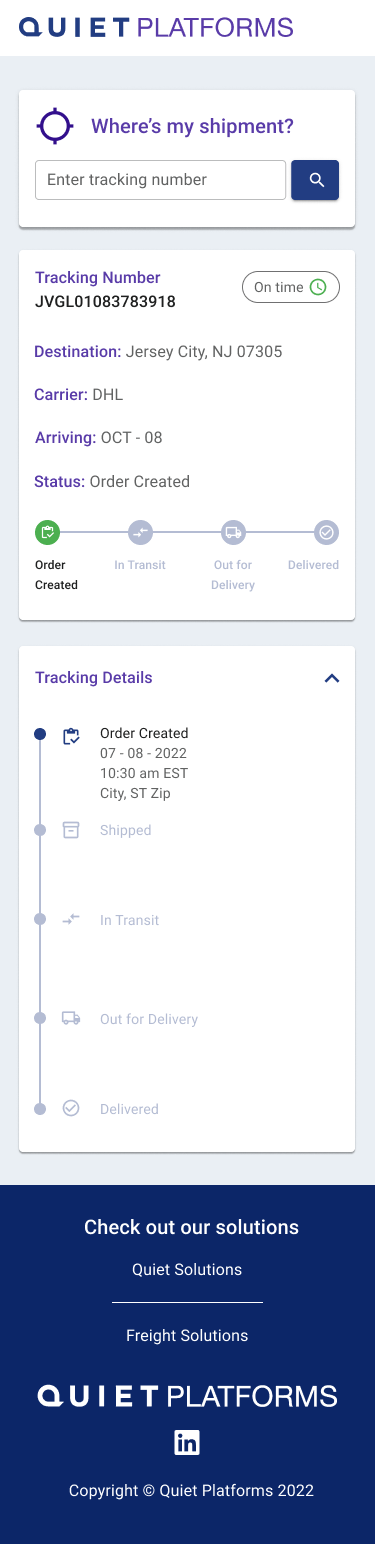
Order Created
- Status: “Order Created”
- Remaining steps are grayed out
- Visual feedback: light blue timeline with a start dot
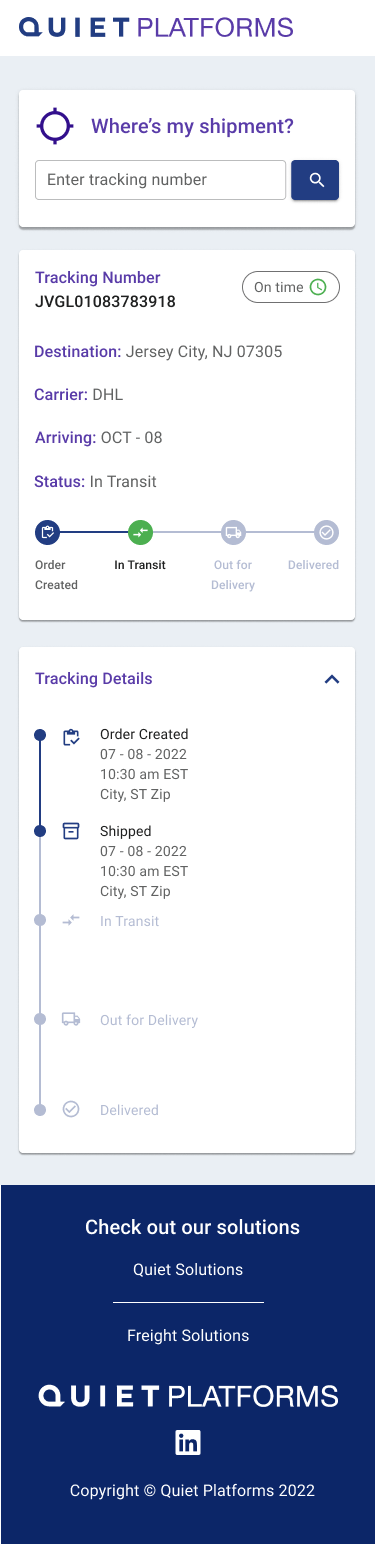
In Transit
- Status: “In Transit”
- “Shipped” and “Order Created” are now bold and marked complete
- Timeline visually progresses with active green marker
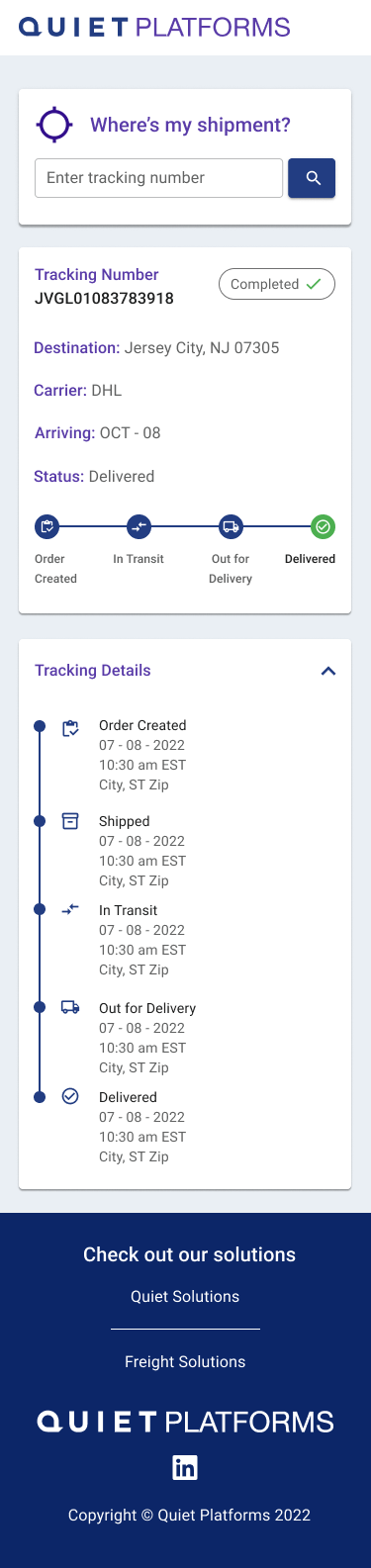
Delivered
- Status: “Delivered”
- All steps are marked complete
- “Completed” tag with check icon for reassurance
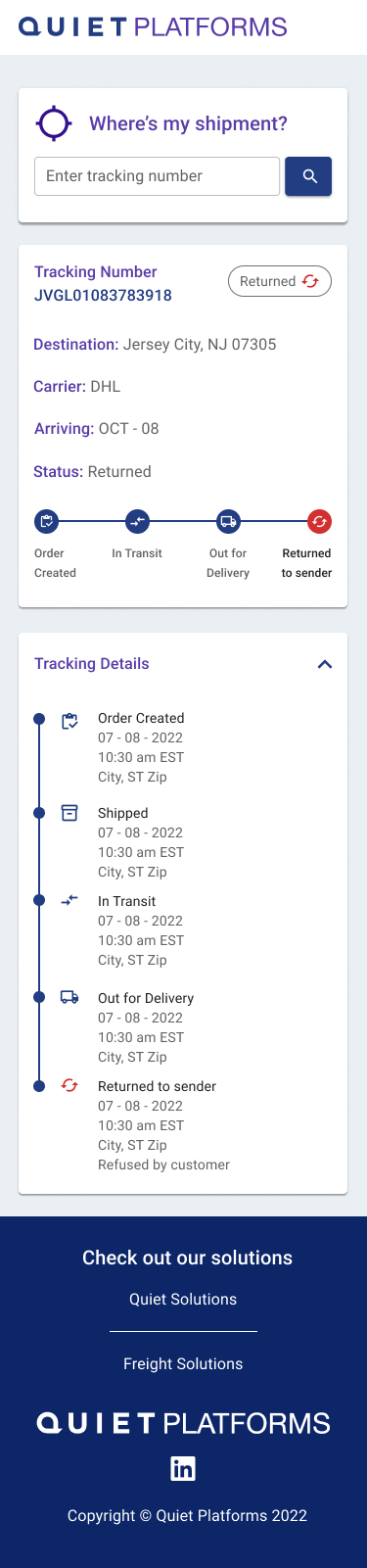
Returned
- Status: “Returned to sender”
- Lists the reason for return
- Red icon showing error